If you are a business owner that try to get more customers online, using Google Ads is the most efficient way to achieve your goal.
So, what’s Google Ads? Google Ads is a platform where you are able to show your business at the very top of the Google Search results by paying them. For instance, when somebody searches for “best cafe in KL” or maybe “buy laptop Malaysia”, if you are paying for google ads, you will notice your ads at the very top of the Google Search results.
Why do you need Google Ads for your business growth? Simply because it allows you to reach potential customers exactly when they are searching for your products or services, helping you get faster and more targeted results.
In this guide, I will show you step-by-step on how to create a Google Ads campaign even if you are a complete beginner.
Step 1: Create a Google Ads Account
First, go to the Google Ads website and sign in using your desired Google account.
You can create an account for yourself if you don’t own one.
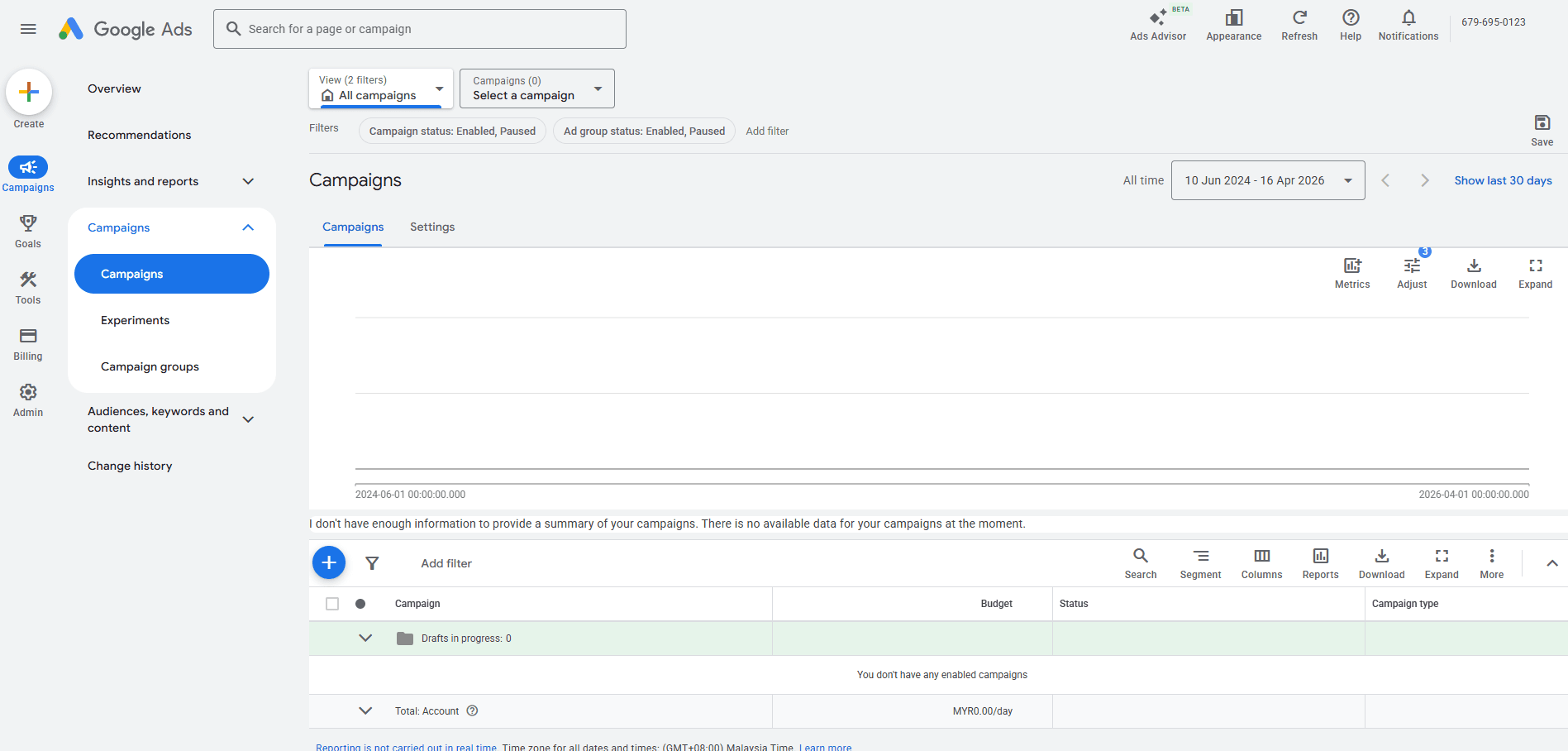
Google will guide you to set up your first campaign once you log in. You can skip the smart mode if you want more control.
Step 2: Choose Your Campaign Objective
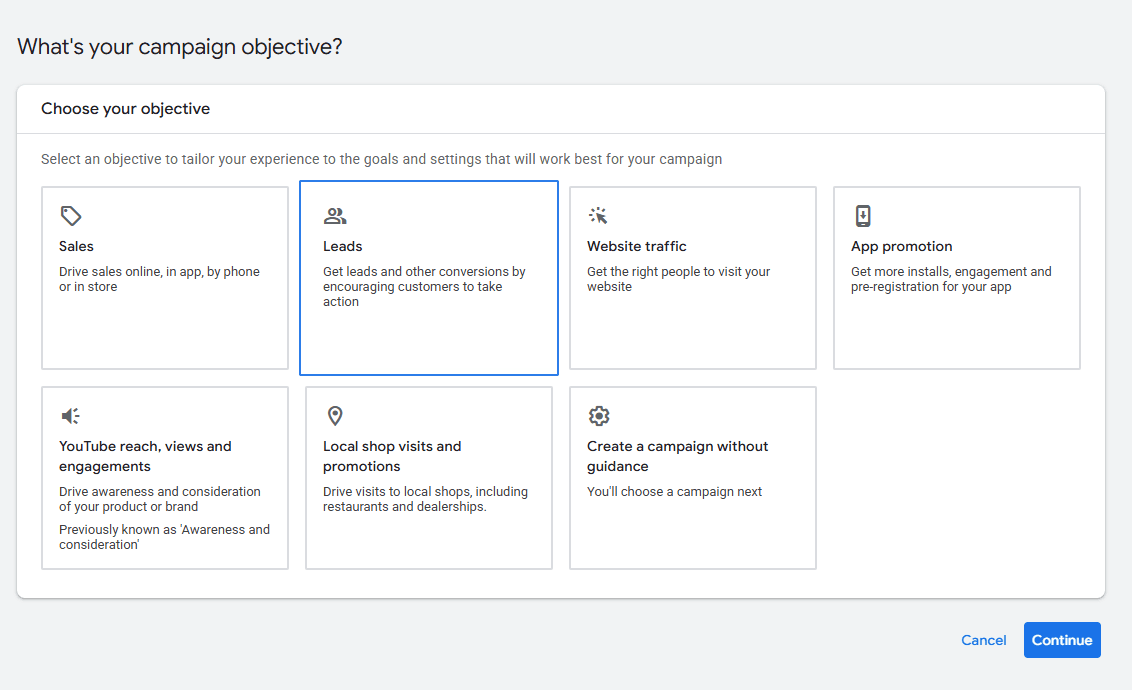
Google will require you to choose your campaign objective. This is important because it affects how your ads are shown.
Common goals include:
- Get more website visits
- Get more phone calls
- Get more sales or sign-ups
Choose “Website traffic” or “Leads”, this 2 are usually the best options for business owners.
Step 3: Choose Campaign Type
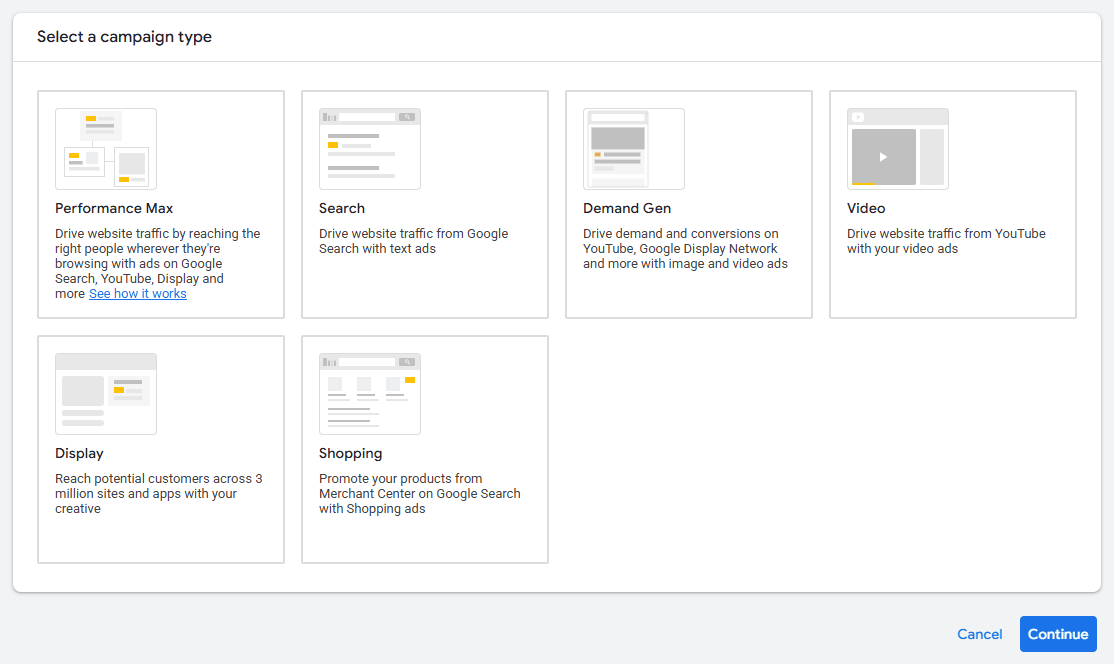
Now Google will ask you to choose a campaign type. This step decides where your ads will appear online.
Each campaign type has a different purpose. Here’s what they mean in simple terms:
- Search Ads – Text ads that appear on Google search results (best for beginners)
- Display Ads – Image ads that show on websites and apps
- Video Ads – Ads that appear on YouTube
- Shopping Ads – Product-based ads (mainly for e-commerce stores)
- Demand Gen – Ads that appear on social-style feeds (like YouTube & Discover)
- App Ads – Promote mobile apps
- Smart Campaigns – Fully automated ads (less control, easier setup)
- Performance Max – Google automatically runs ads across all platforms
Step 4: Set Your Budget
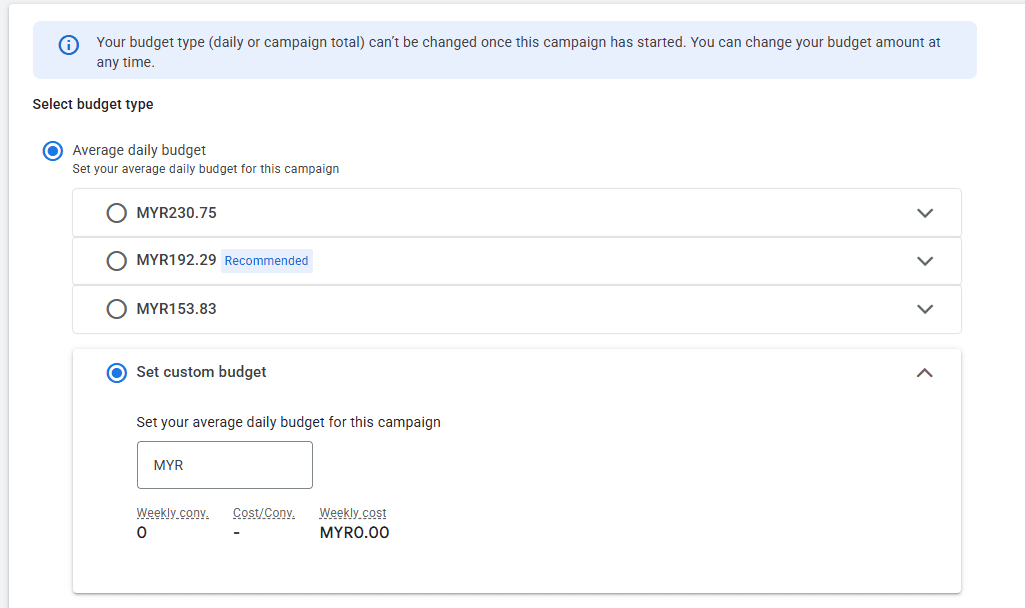
This is the important part as it affects your business’s budget.
You can set your own daily budget like RM10–RM30 per day. Google will not charge you more than your budget.
The important thing is not how much you spend, but how well your ads are set up. If you have a tight budget and don’t know how to manage, feel free to check out Google Ads on a Tight Budget: A Beginner’s Guide for Malaysian SMEs
Step 5: Choose Your Target Audience
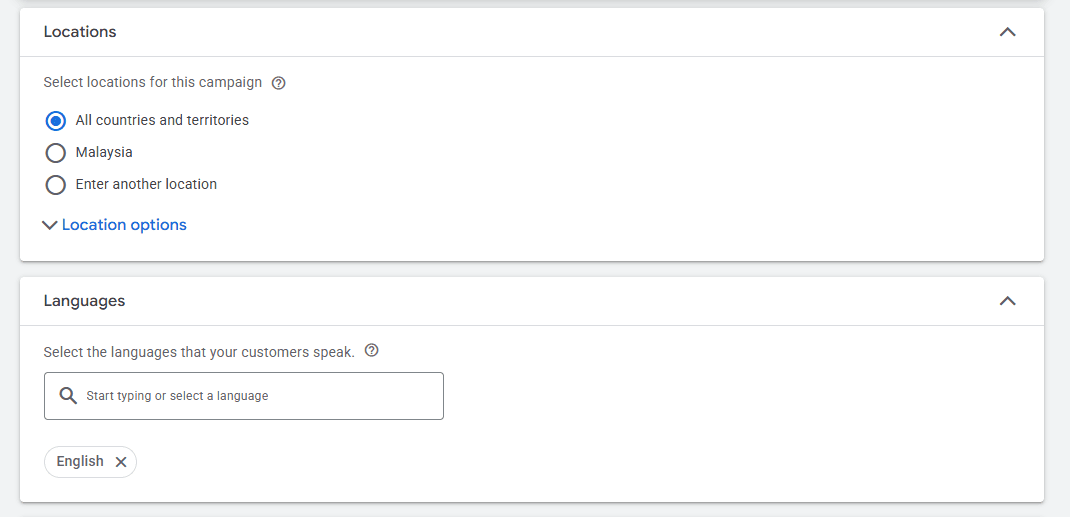
This is the step where you tell Google who can see your ads.
You can choose:
- Location (example: Malaysia, KL or even specific cities)
- Language
- Audience interests
For example, if you run a car service in Johor, you can target people in Singapore and Johor only.
Step 6: Choose Your Keywords
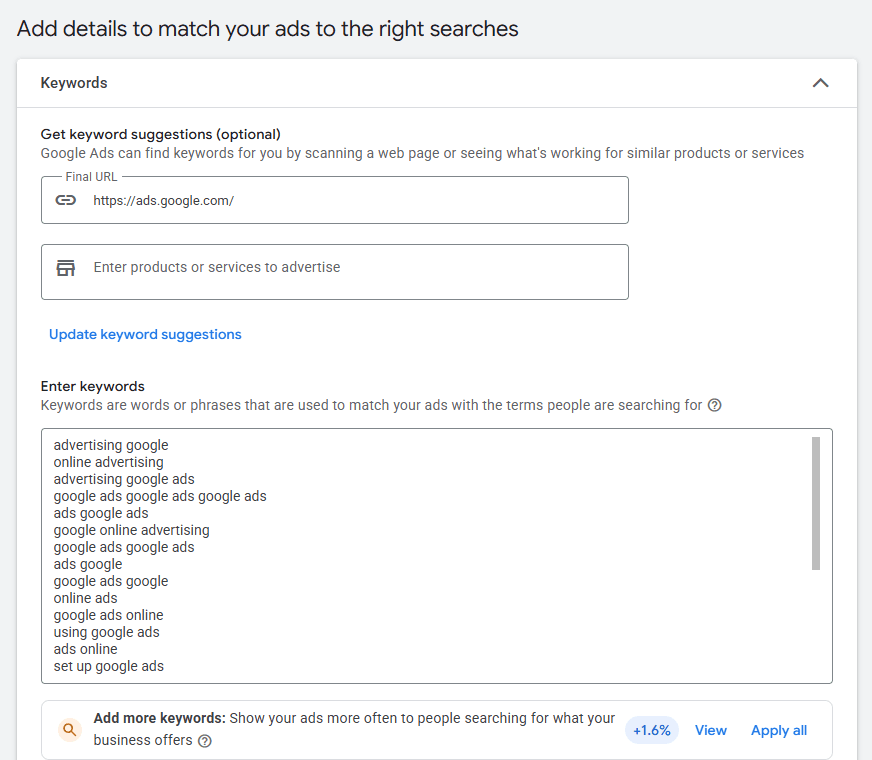
Keywords are the words people used to searched in Google
For example:
- “best restaurant in KL”
- “Shoe shop malaysia”
- “buy shoes online”
You need to choose keywords that match your business.
Tip: Choose a keyword that you think that customer will usually search to match their search intent.
Step 7: Create Your Ad
Moving forward, you can start by creating your ads. You will be required to include a headline, short descriptions and a website link for your ads. As for the headline you should show what you offer clearly so that people will know what you are offering before clicking into it while the descriptions explains your service or product in a simple and attractive way
For example, you can write a headline like “Affordable Shoe in Malaysia” and follow it with a description such as “Looking for budget-friendly shoes? Discover quality footwear at affordable prices. Buy now!”
Keep your message clear and direct so users can quickly understand what you offer without confusion.
Step 8: Review and Launch
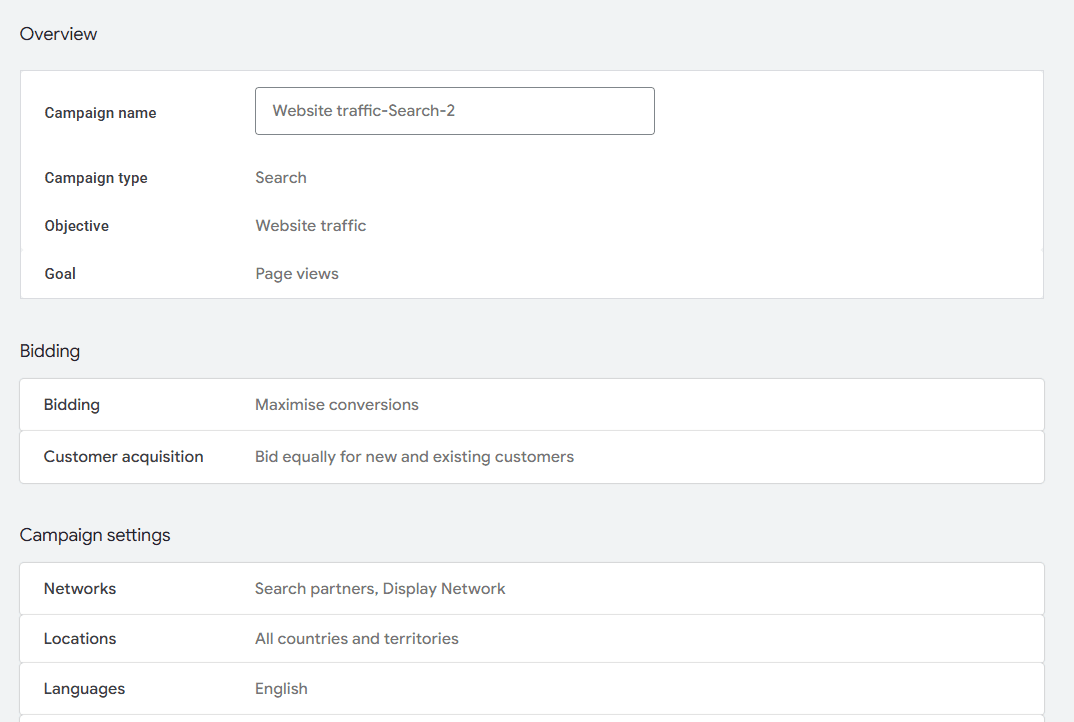
Once you finish setting up everything, Google will display a summary of your Google Ads campaign before you publish it. Thus, this will be your final chance to check all the important details such as your budget, keywords, target location and ad text.
Make sure everything is correct and aligned with your business goal before you proceed and if everything is alright, you can click “Publish” and your campaign will go live.
Final Tips
A final tips for the beginners out there, running Google Ads is not just about setting it up, you will have to monitor and improve your campaign just by looking on the performance of your ads.
Aim on a small number of keywords instead of targeting a lot of keywords. Also, start with a small budget and observe how your ads perform for a few days so in case something not working well, you can always adjust your keywords, ad text or targeting as soon as possible.
The most important part of your Google Ads is to continuously test and improve, so take it step by step and optimise as you go.
Conclusion
Creating a Google Ads campaign isn’t really hard, once you familiar with the steps you can just create another one easily. The key is to start simple, test your ads and improve slowly.
If you do everything correctly, your business will grow faster than many other marketing methods.
If you’re not sure how to set up or manage your Google Ads campaign. At CollabPro, we help businesses create and optimise Google Ads campaigns to get better results and higher returns. Feel free to reach out to us to get started!
Contents
Contents
Track Smarter, Prove Your Marketing Impact.
We’ll help you turn data into decisions that drive growth.